Product Sync
Configure product direction, creation behavior, fields, filters, images, variants, webhooks, and manual batches.
Open Product Sync to configure the product workflow or switch to a product list for item-level actions.
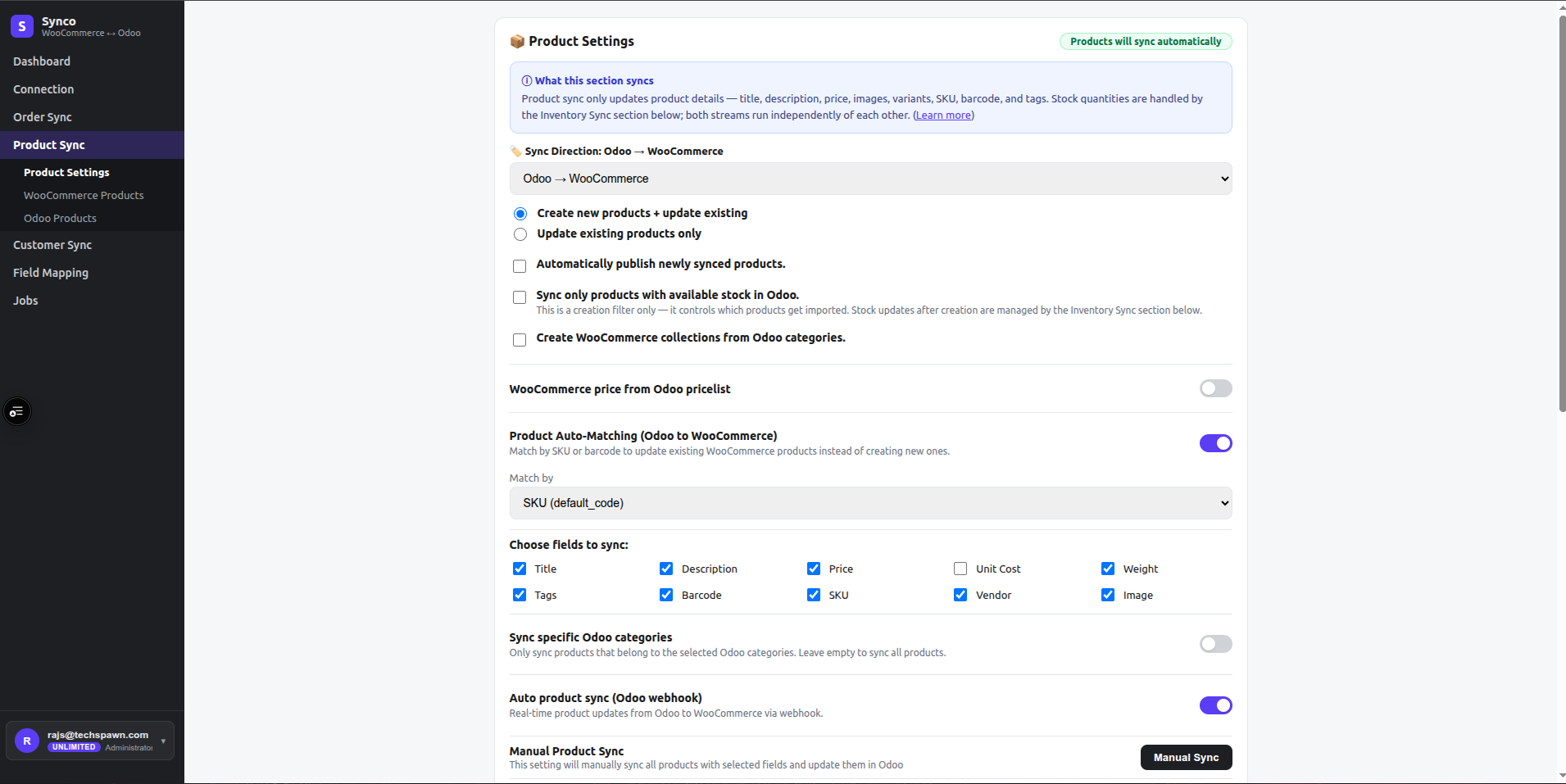
Choose a direction
- Odoo → WooCommerce reads Odoo product templates and creates or updates WooCommerce products.
- WooCommerce → Odoo reads WooCommerce products and creates or updates Odoo product templates.
The selected direction also controls which system supplies categories, tags, and inventory.
Creation and variant modes
| Setting | Behavior |
|---|---|
| Create and update | Update linked/matched products and create a product when no match exists. |
| Update only | Update a linked or matched product; skip items with no match. |
| Add new variants | Create missing variants and update variants that can be matched. |
| Update existing variants only | Update matched variants without creating a new attribute/variant combination. |
For Odoo → WooCommerce creation, Auto publish publishes a newly created item. Only in stock can prevent creation when the Odoo product has no available stock; existing matches can still be updated.
Matching
Enable Auto-match to search for an existing target product before creating one. Match by:
- SKU, using the WooCommerce SKU and Odoo internal reference.
- Barcode, using the configured barcode value.
After synchronization, Synco stores the Odoo reference in WooCommerce meta_data. Future jobs use that stored link before falling back to matching.
Fields
Select only the fields that the source system should own:
| Field | Notes |
|---|---|
| Title and description | Product name and sales description/content |
| Price and unit cost | Applied where the target model supports the selected value |
| Weight | Product weight |
| Tags | Creates or reuses corresponding target tags |
| Barcode and SKU | Identifiers used for data and matching |
| Vendor | Vendor-related product value where supported |
| Image | Downloads/uploads the primary image through the target media workflow |
Price from pricelist uses the configured Odoo price source when that option is enabled.
Categories and tags
- Create categories creates/reuses target categories from the source category.
- Sync specific categories restricts jobs to selected categories from the current source system.
- Sync only tagged products restricts jobs to products that contain one of the selected source tags.
Review these selections after changing direction because the picker source changes with it.
Automatic and manual sync
Enable Auto product sync for supported webhook-driven changes. For controlled batches:
- Save settings.
- Select Manual Product Sync to queue the current source list.
- Use Images Sync when images need a dedicated refresh.
- Review the resulting jobs.
On the product list, select individual items and use Sync → Odoo or Sync → Woo according to the list being viewed.
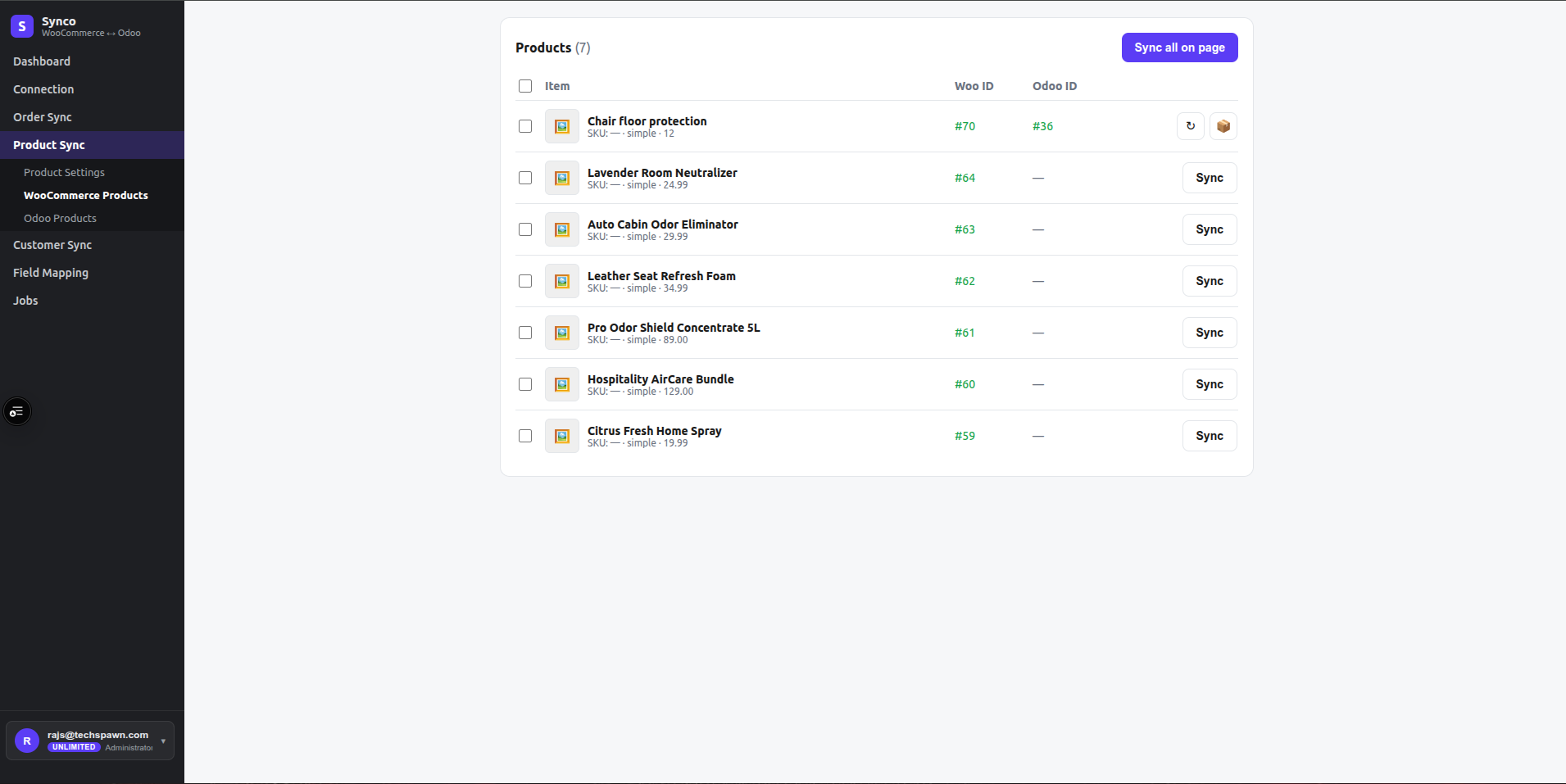
Begin with a small batch. Wrong direction or broad category selection can overwrite many existing records.